




JAIST Printing Service 2026
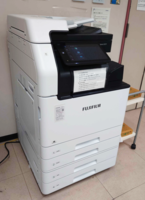
You can copy and print by printing devices installed throughout the university using university ID card (student card, faculty / staff card) or user account.
There are two main printing methods:
- Private Print
This method sends print data directly to a specific multifunction device by specifying its IP address.
It is useful when the target device is predetermined or when printing large files that cannot be registered with IWpro.
It is also available to users who are not eligible for IWpro Print.
Furthermore, even if the selected multifunction printer is unavailable—such as when it is currently in use—you can select the same print data and output it from another available multifunction printer without having to register the job again (Anywhere Private Print). - IWpro Print
This is an on-demand printing method where print data is first registered in the system and can be released from any multifunction device within JAIST.
There is no need to specify a printer in advance; users can choose any device and print after sending the job